
Tachiyomi : Manga & Comics
GoldenDev StudioComics
0.00.00 Reviews
- Version
- 1.0.0
- Installs
- 10.00K
- Age Rating
- Everyone
Screenshots
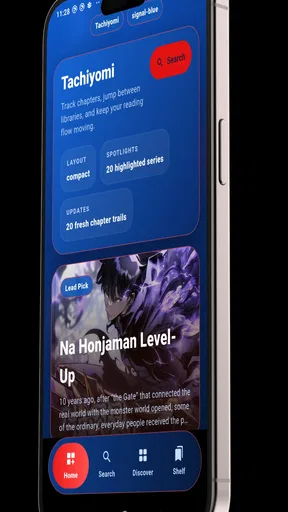
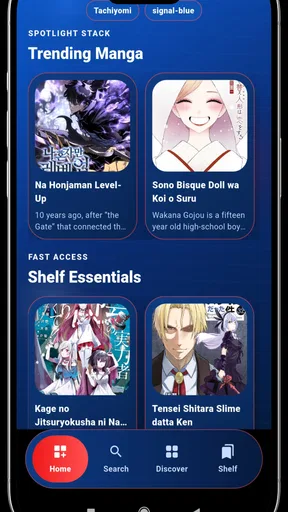
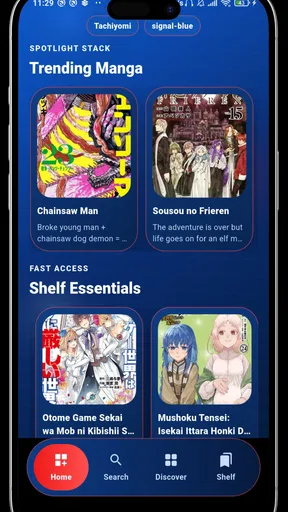
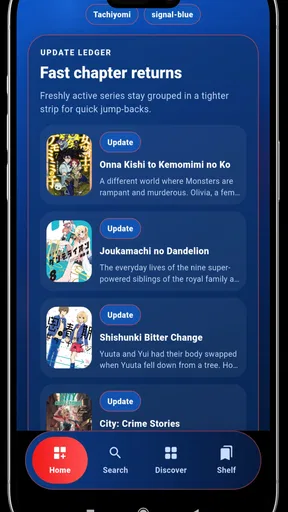
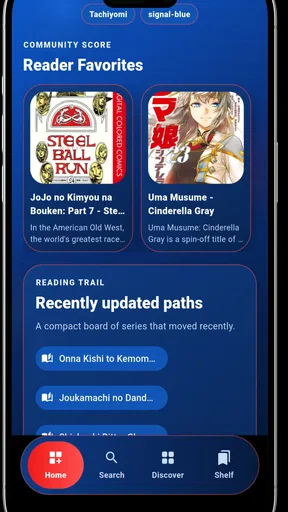
Our Review of Tachiyomi : Manga & Comics
 Analysis by Appyee
I spent time with Tachiyomi as a lightweight comics app, and its main appeal is easy to understand: it puts the reading experience first. Rather than treating manga, comics, manhwa, and webtoons as separate products, it presents them through one reader-focused interface. That makes it attractive to anyone who wants to move between different comic formats without learning several unrelated apps.
The app is developed by GoldenDev Studio and is available for free. It belongs to the Comics category, carries an Everyone age rating, and is aimed at readers who want a straightforward way to open and read digital comics on an Android device. Its current version is 1.0.0, and it runs on Android 7.0 or later. The release date shown for this version is July 19, 2026, while its reach is already above ten thousand installs.
One reader for several comic formats
The capability that matters most here is the unified reading approach. Manga often uses page-by-page layouts, while webtoons are commonly designed for vertical scrolling. Manhwa can sit somewhere between those habits, and ordinary comics may use very different panel proportions again. A reader that handles these formats comfortably can save time and reduce the small annoyances that appear when switching between apps.
In my experience, the value is not simply having a long list of supported words in the description. The useful part is being able to approach each title according to its visual structure. A page-based chapter should feel like a sequence of pages, while a vertically arranged webtoon should be readable as a continuous flow. That distinction affects how quickly I can follow dialogue, inspect artwork, and return to the exact point where I stopped.
This makes Tachiyomi more interesting than a basic image viewer. An image viewer can open individual files, but it usually does not feel designed around the rhythm of reading a chapter. Here, the purpose is clearer: open a comic, settle into the panels, and continue without the interface becoming the main event. The strongest idea is not complexity; it is reducing the distance between choosing a comic and actually reading it.
That focus also makes the app suitable for mixed libraries. I may read a traditional manga chapter in one sitting, then switch to a long vertical webtoon later the same day. Keeping both habits inside one app is more convenient than remembering which reader is best for each format. It is a small change, but it becomes meaningful for anyone who reads regularly.
What the unified approach changes
A single reader can make a difference in small everyday decisions. I do not have to stop and think about whether a title belongs in a manga app, a comic viewer, or a webtoon-specific tool. I can open the material and judge the reading experience directly. That is especially helpful for casual readers who do not want to organize their phone around several narrowly focused applications.
There is also a practical benefit when sharing a device with family members. One person may prefer manga, another may read comics, and someone else may follow webtoons. A general comics reader is easier to explain than a collection of separate apps, each with its own controls and habits. The Everyone rating also makes the app approachable for a broad audience, although the content a reader opens can still vary depending on the source or files they use.
I would not confuse this flexibility with a guarantee that every title will look perfect. Comic layouts are inconsistent by nature. A page created for a large screen may feel cramped on a phone, while a vertical strip can become uncomfortable if it is displayed with unnecessary gaps or awkward scaling. The app’s central challenge is therefore the same as its central opportunity: one reader must remain usable across very different visual designs.
How it feels in a normal reading session
My preferred way to use an app like this is to keep the reading process simple. I choose a chapter, hold the phone in the position that suits the artwork, and use the reader’s navigation rather than constantly leaving the app. The less often I need to interrupt the page to manage the interface, the more natural the experience becomes.
For manga, I would begin with a short test chapter instead of committing immediately to a long series. That gives me a chance to see whether the page direction feels natural and whether the text is comfortable at the phone’s default size. If the panels feel too small, rotating the device can help, but that is not always ideal when reading in bed or on public transport.
For webtoons, I would use a different habit: scroll slowly enough to let each panel breathe. The temptation with vertical comics is to move quickly because the gesture is effortless, but that can make dialogue and visual transitions easy to miss. A good reader should support the format without encouraging rushed reading, and I found that the app’s value is highest when I treat the screen as a page rather than a feed.
One useful routine is to stop at natural chapter breaks instead of leaving halfway through a scene. This is not a feature claim; it is a practical way to avoid losing context when returning later. If I know I will be interrupted, I pause after a complete exchange or panel sequence. That makes the next session easier even when I am reading in short bursts.
The best everyday scenario
The clearest use case is a commute or a quiet break where I want a few pages without carrying a separate e-reader. I might read a manga chapter on the way to an appointment, close the app when I arrive, and later continue with a vertical webtoon at home. The benefit is not that the app changes my reading habits completely. It is that it accommodates both habits without asking me to switch tools.
This also works well for readers who sample different formats before deciding what they like. Someone who has only read manga may discover that webtoons suit short breaks better because the vertical flow is easy to follow with one hand. Another reader may prefer the deliberate pace of page-based comics and use the app mainly as a convenient place to compare styles. The unified format support encourages that kind of experimentation.
Students and busy workers may gain the most from this flexibility. A long reading session is not always realistic, but a few minutes between tasks can still be enough for a scene or chapter segment. I would keep the app ready for those small windows rather than expecting it to replace every other reading platform. Its strength is fitting into an existing routine.
There is a less obvious scenario too: checking artwork and lettering on different screen orientations. A creator, translator, or serious fan may want to see whether a page remains legible when viewed vertically and horizontally. That does not turn the app into a professional proofing tool, but a general reader can still reveal whether dialogue becomes difficult to follow on a phone. The trade-off is that a phone screen cannot reproduce the space of a tablet or printed page.
Where the experience can become less comfortable
The broad format focus comes with a natural compromise. A specialist app may offer a more refined experience for one particular kind of comic, while Tachiyomi has to remain understandable across several. If I read only webtoons and care deeply about a specialized vertical workflow, a dedicated webtoon reader may feel more tailored. If I mainly read scanned manga, I may prefer a tool whose controls are built around page navigation above everything else.
Screen size is another real limitation. On a small phone, detailed comic pages can force me to zoom or rotate the device, which interrupts the pace. Vertical webtoons usually fit the width more naturally, but long panels can still require frequent scrolling. I would not blame the app for the physical limits of the display, yet the reading experience depends heavily on the device I use.
Free access is welcome, but it also means I should approach the app with realistic expectations about polish. Version 1.0.0 suggests an early stage, so I would pay attention to how stable the reader feels during longer sessions and whether its controls suit my habits. That is not a reason to dismiss it; it is a reason to try a few different titles before making it my only comics app.
Another trade-off is simplicity versus deep customization. Readers who want extensive control over every gesture, display behavior, library rule, or reading preference may eventually want a more mature alternative. I prefer not to add settings merely because they exist. For me, a clean reader is better when it handles the basics reliably, but advanced readers may find a streamlined approach limiting.
I would also avoid judging the app solely by the number of formats it mentions. A title’s source quality, image resolution, panel arrangement, and lettering all affect the result. If a chapter is poorly prepared, no reader can make it feel like a professionally printed volume. Tachiyomi is most useful when the material itself is well formatted and the reader can stay out of the way.
Practical habits that improve the experience
My first tip is to test one title from each format you expect to read. A manga chapter can reveal whether page navigation feels comfortable, while a webtoon can show whether continuous scrolling remains easy on your phone. This is more informative than judging the app from one unusually simple comic.
My second tip is to choose your reading position before starting a long chapter. Landscape orientation may help with dense manga pages, but portrait orientation is often more natural for vertical comics. Switching repeatedly can become more distracting than helpful, so I use the format of the title to decide rather than forcing one orientation on everything.
My third tip is to treat short sessions differently from long ones. During a commute, I prefer a title with clear panel separation and readable lettering. At home, I am more willing to read detailed artwork that needs occasional zooming. This simple choice prevents the app from feeling inconvenient when the real issue is that I selected a visually demanding chapter for a tiny screen.
A fourth useful habit is to keep the interface from competing with the artwork. I pause before tapping repeatedly, especially during vertical reading, because an accidental gesture can move me past a panel or interrupt the rhythm. The best results come from deliberate scrolling and from giving the reader a moment to respond rather than treating it like a rapid social feed.
Who benefits most from this app
I would recommend Tachiyomi to readers who want one free Android app for exploring manga, comics, manhwa, and webtoons without committing to a specialized tool immediately. It is particularly appealing if your reading list crosses formats or if you are tired of deciding which app should handle each title. The low barrier of a free download makes experimentation easy.
It is also a sensible choice for casual readers who value convenience over an enormous configuration menu. If your main goal is to open a comic and read comfortably, the unified approach is more important than having every possible advanced option. The app’s Everyone rating makes it broadly approachable, though I would still choose age-appropriate material personally rather than treating the rating as a guide to every comic available through a reader.
I would steer heavy readers toward trying it alongside their current favorite rather than replacing everything on day one. Someone who already has a highly customized manga workflow may miss specialized controls. Likewise, readers who want a polished ecosystem built around one publisher or one format may find a dedicated service better suited to their expectations.
People who read mostly on tablets may also want to compare the experience with their existing reader. A larger screen can make detailed pages more comfortable, while the advantage of a single cross-format app may matter less if a tablet already handles several reading tools well. Tachiyomi makes the most sense when simplicity and format flexibility solve a real problem.
My final take after using it
Tachiyomi succeeds because it keeps its central promise understandable: it is a free comics app designed to make different kinds of digital reading feel like part of one routine. I appreciate that focus more than a long feature list. Manga, comics, manhwa, and webtoons do not read exactly alike, but bringing them together can make a phone feel more useful for readers with varied tastes.
Its limitations are equally clear. A small display can make detailed pages tiring, a specialist reader may offer a more exact fit for one format, and an early version deserves a little patience while I decide whether its workflow matches my habits. Those are important considerations, not deal-breakers.
If you want a straightforward place to explore several comic styles, I think this is worth trying. I would start with a few short chapters, compare a page-based manga with a vertical webtoon, and then decide whether the unified reader genuinely makes your routine easier. For me, that is the app’s real strength: not replacing every alternative, but giving mixed-format readers a practical starting point that stays focused on reading.
Verdict
Strengths of Tachiyomi : Manga & Comics
- Supports multiple manga sources through an extensible catalog.
- Highly customizable reader with page, webtoon, and continuous modes.
- Download chapters for offline reading and automatic library updates.
- Offers tracking integration with services such as MyAnimeList and AniList.
- Open-source project with no advertisements or subscription requirements.
Limitations of Tachiyomi : Manga & Comics
- The original Tachiyomi app is discontinued and no longer officially maintained.
- Sources can disappear or stop working due to legal or technical issues.
- Installing extensions may be confusing for users unfamiliar with sideloading.
- Some sources may contain unofficial translations or inconsistent chapter quality.
- The app is generally unavailable through Google Play and requires manual installation.
Other Releases by GoldenDev Studio
View All
Mangazone : Manga & Comics
Comics0.0
Similar Picks in This Category
View All
WEBTOON: Manga, Comics, Manhwa
NAVER WEBTOON4.6

MangaToon: Comic & Manga
MangaToon4.3

네이버 웹툰 - Naver Webtoon
NAVER WEBTOON4.3

Tapas – Comics and Novels
Tapas Entertainment Inc.4.2

Lezhin Comics - Daily Releases
LEZHIN ENTERTAINMENT3.3

WebComics - Webtoon & Manga
WEBCOMICS HOLDINGS HK LIMITED4.4
Frequently Asked Questions
What is Tachiyomi, and what can I use it for?
Tachiyomi is an open-source Android manga and comic reader that lets you organize your library and read titles through extensions connected to online sources. It supports features such as chapter tracking, downloads for offline reading, reading customization, backups, and multiple viewing modes. Because it is primarily a reader rather than a content publisher, the available catalog depends on the sources you configure and their availability.
Is Tachiyomi still available and safe to download?
The original Tachiyomi project was discontinued, so users should be careful when searching for an APK or similarly named application online. Unofficial download pages may contain modified files, aggressive advertising, or malware. Before installing anything, verify the project’s official status, inspect the download source, check permissions, and use reputable security tools. Avoid random mirrors claiming to offer the latest official Tachiyomi version.
Does Tachiyomi provide manga and comics directly?
Tachiyomi does not normally host manga or comics itself. Instead, it works with extensions or sources that retrieve catalog information and chapters from external websites. This means the selection, language options, image quality, and reliability can vary considerably. Some sources may disappear, change their structure, or become unavailable, and users should also consider copyright rules and the terms applicable in their country.
Can I read chapters offline with Tachiyomi?
Yes, offline reading is one of the most useful features associated with Tachiyomi. When a compatible source is working, you can download chapters to your device and read them later without an internet connection. Download performance depends on the source and your connection, while storage usage can grow quickly with high-resolution chapters. It is sensible to manage downloaded files and review storage permissions before starting large downloads.
What devices and features does Tachiyomi support?
Tachiyomi was designed mainly for Android phones and tablets, with an interface that adapts to different screen sizes and reading preferences. Depending on the version and configuration, users can adjust reading direction, page scaling, themes, update schedules, categories, history, bookmarks, and backups. It is not an official iOS application, and compatibility with newer Android releases or unofficial forks may differ, so check the specific project documentation before installing.
